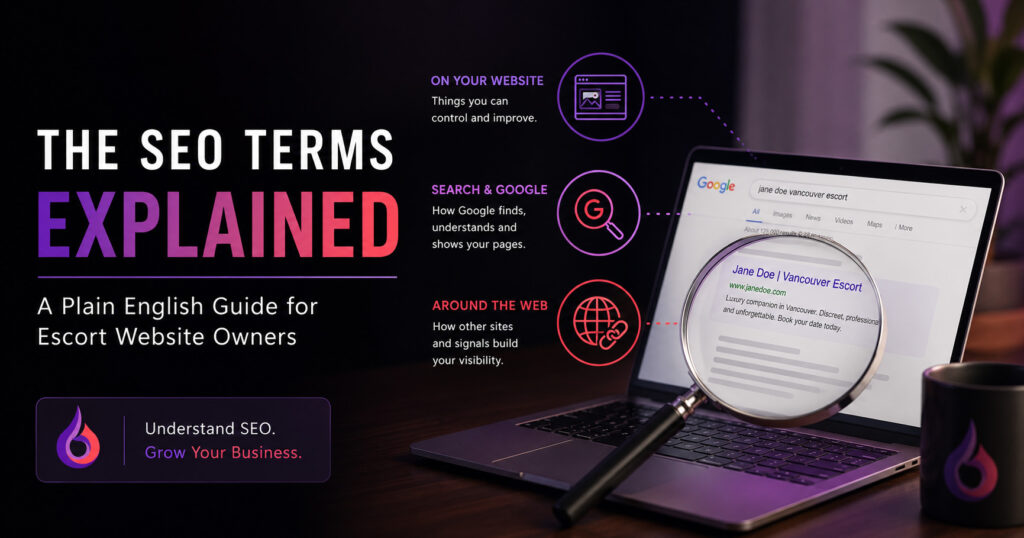
SEO for an independent escort website should help appropriate prospects find you and understand your business. More search traffic is useful only when it creates a realistic opportunity for the kind of inquiries you want.
You can influence how clearly your website communicates, whether search engines can access it and which information visitors find. You cannot buy certainty about where Google will rank it or who will decide to contact you.
I approach the work in this order: establish what is happening, fix obstacles, improve the important pages and measure the response. That keeps the work connected to your business rather than a growing list of SEO chores.
Start with the searches that matter to your business
Someone who searches your professional name already has a reason to look for you. They may have seen an advertisement, followed a recommendation or encountered a social profile. Your website should make it easy to confirm they have found the right person.
A broader city search has a different intent and a different competitive landscape. Results may include directories, agencies and individual websites. That can make it difficult to compete, but it does not justify a universal claim that an independent site can never appear.
Separate branded searches from relevant non-branded searches when reviewing performance. Also separate the locations and topics that genuinely match your business from those that do not. A visitor in the wrong context may have no reason to inquire, however impressive the traffic chart looks.
For a business such as Fox Digital, someone researching website design is a potential prospect; someone searching for an individual escort usually is not. The same principle applies to your own site: decide which audience you need before choosing what to optimize.
Establish a baseline in Search Console
Google Search Console’s Performance report shows how your website appears in Google Search. Review queries and pages together, then use country and device information where it helps explain a pattern.
Four measures are worth understanding. Impressions indicate appearances in search results. Clicks indicate visits from those results. Click-through rate compares clicks with impressions. Average position summarizes the positions recorded across the selected data; it is not a fixed rank everyone sees.
Start with a period long enough to contain useful data. A page with a handful of impressions and no clicks does not tell you much. Record the period, important changes and relevant business context so that later comparisons mean something.
Search Console does not reveal every query. Google explains that rare queries may be omitted for privacy, and filtering affects what is included. Treat the visible query list as evidence, not a complete census of everyone who found you.
Check whether important pages can be found and indexed
Before rewriting a biography, check that the website is technically available to search engines. A page can be beautifully written and still be excluded accidentally.
Ask your designer to investigate important pages that are missing from search, using the relevant Search Console inspection and indexing information. Useful questions include whether the page loads successfully, is linked from the site and has an unintended restriction or conflicting canonical signal.
Indexing and ranking are different. Being eligible for search does not guarantee a prominent position. Submitting a sitemap or requesting a crawl can help discovery and checking; it is not a way to purchase placement.
Keep private material protected for privacy reasons. Do not expose drafts or sensitive information simply to make more URLs available to search. Technical changes should follow a clear diagnosis.
Give every important page a distinct job
Your homepage introduces the business and directs visitors. Your biography develops your personality and approach. Rates and inquiry information help someone decide whether your arrangements suit them. A gallery provides visual context.
These pages can support each other without repeating the same introduction and city phrase everywhere. Use familiar navigation labels and give readers an obvious next step after they have found what they came for.
Do not create several pages merely to target small variations of the same phrase. If two pages answer the same question, ask whether one stronger page would be more useful. If they serve different purposes, make that distinction clear in their content and titles.
Before merging existing pages, inspect which queries and links each receives. An apparent overlap in headlines alone is not enough to decide which URL should disappear.
Write titles, headings and descriptions for readers
The SEO title and the heading a visitor reads on the page are related but separate. A heading organizes the visible content. The SEO title helps describe the page in browsers and search systems.
Google’s title-link guidance recommends concise, descriptive titles and cautions against repetition and keyword stuffing. Google can use several sources when choosing the title shown in results.
For a fictional provider, useful titles might be “About Alex | Independent Companion in Bristol” and “Rates and Inquiry Details | Alex.” They establish different page purposes. There is no need to put a string of synonyms or an unsupported “best” claim in every title.
A meta description should summarize the actual page and help someone decide whether to visit. Google may show a different snippet suited to the search. Treat the description as a useful explanation rather than a guarantee of exactly what will appear.
Use one clear main page heading, then H2 and H3 headings to organize the subject. Do not choose heading levels merely to make text look larger.
Make the content specific enough to be useful
A biography that says only “sophisticated, intelligent and unforgettable” gives a reader very little to remember. Describe interests, conversational style and the pace of the experience in language that feels like you. Choose details you are comfortable sharing publicly.
Explain practical expectations clearly. If you prefer advance notice or longer bookings, the copy should help someone understand that before they contact you. Do not hide information just to manufacture an inquiry.
There is no useful minimum word count for every page. A rates page may need a short explanation; a detailed guide may need much more. Google’s people-first content guidance supports writing for an intended audience, not adding material merely to satisfy a presumed ranking formula.
Update content when something changes or when you can make it more helpful. Changing dates or publishing thin posts to make the site appear active is not a substitute for improving it.
Handle photographs as content, not keyword containers
Prepare images at sizes suited to their actual use, compress them sensibly and check the resulting quality. A gallery thumbnail and a large hero image may need different dimensions; one arbitrary pixel limit will not suit every layout.
Use descriptive file names and appropriate alternative text. Alt text should communicate the image’s purpose in context for people who cannot see it. Do not paste your name, city and a list of services into every image field.
For an informative image, a short accurate description is usually more helpful than a keyword list. Decorative images may need empty alt text. Google’s image guidance explains the role of relevant surrounding content and descriptive information.
Review privacy separately. Check the images you intend to publish for identifying details and unnecessary metadata. Search optimization should not pressure you to reveal more than you intended.
Make the mobile experience work
Read the website on a phone. Can you find the menu, understand the text and move through the inquiry process? Does a large gallery push useful information out of reach? Does a decorative overlay cover the button you need?
Ask for performance work to address actual problems. Oversized images, unnecessary scripts and an unsuitable hosting setup can all contribute. A faster page is useful, but a perfect test score is not a promise of better rankings or more suitable inquiries.
Accessibility and clarity belong in this review too: readable contrast, descriptive links, properly labeled fields and obvious feedback when something goes wrong. These are practical improvements to the experience, regardless of their effect on a search chart.
Understand SafeSearch and explicit-content classification
Google has specific systems for explicit content, and SafeSearch settings can affect whether material is shown. Its guidelines for explicit websites explain relevant classification and access considerations.
Do not assume every visibility problem is a penalty, or that a different keyword will remove a classification. Ask your specialist to identify the actual issue. If content is incorrectly classified, follow Google’s documented troubleshooting process.
Age restrictions and crawler access need careful implementation. Do not remove a required safeguard to pursue traffic or use misleading content to disguise the site’s purpose. Search visibility is one consideration within how the website must operate.
Use links to help people find relevant information
Within your site, connect related pages naturally. A biography can lead to inquiry details; a touring update can lead to current availability. Descriptive anchor text tells the visitor what to expect.
Outside your site, focus on legitimate places where the relevant audience may discover you: an appropriate professional profile, an interview or a useful mention. A link may bring worthwhile referral visits even when its ranking contribution is uncertain.
Do not buy large bundles of links or exchange links indiscriminately to manipulate rankings. Google’s spam policies address link schemes, doorway pages and other manipulative tactics. The number of links alone does not establish their value.
Keep your public professional name and website address consistent where practical so people can find the correct site. Social posting can support discovery and relationships, but posting more often is not a guaranteed search-ranking mechanism.
Decide whether a blog or location page earns its place
A blog makes sense when you have something useful or distinctive to say and the time to maintain it. It can develop your voice, answer recurring questions and give interested readers more context.
It should not become a stream of unrelated articles selected because they have search volume. A popular restaurant guide might attract people with no interest in your business. Ask whether the subject belongs on your site and offers readers a sensible next step.
A separate location page can be useful when you genuinely work or tour there and have relevant information to provide. Copying the same text across dozens of city names is not a thoughtful location strategy.
A small, coherent website can be a better starting point than a large collection of repetitive pages. Add content because it has a job.
Measure inquiries alongside search visibility
Search Console explains search exposure and clicks. It does not tell you whether a message was appropriate, whether you replied or whether the inquiry matched your availability.
Agree on what a useful inquiry means for your business. Review aggregate counts and recurring mismatches without sending private message text, screening details or identifying information into analytics tools.
A contact-button click is a sign of intent; it is not proof of a submitted inquiry. A form submission is not proof of a suitable client. Keep those stages distinct when interpreting a report.
If visibility improves and inquiries do not, inspect the traffic sources and landing pages before assuming the entire design has failed. If appropriate visitors arrive but cannot complete the form, solve that problem before commissioning more content.
Choose a manageable next step
Begin with one clear diagnosis. If important pages are not indexed, investigate that. If your homepage does not explain who you are, improve it. If branded visitors cannot find current rates or inquiry details, make those tasks easier.
Record what changed and when. Give the site time to be revisited and gather enough data before drawing conclusions. Search results change for reasons beyond your edits, so avoid attributing every movement to the most recent task.
When hiring help, ask for the proposed work, its rationale and how progress will be reviewed. A useful SEO engagement should make the website more understandable and support your business priorities. It should not depend on a ranking guarantee.
If you want search planning to be part of the website from the beginning, explore my escort web design service or send me your current website and goals. For unfamiliar terminology, the escort SEO glossary can help you assess the conversation.